
Help & Explanation
How do I edit texts in my webshop?
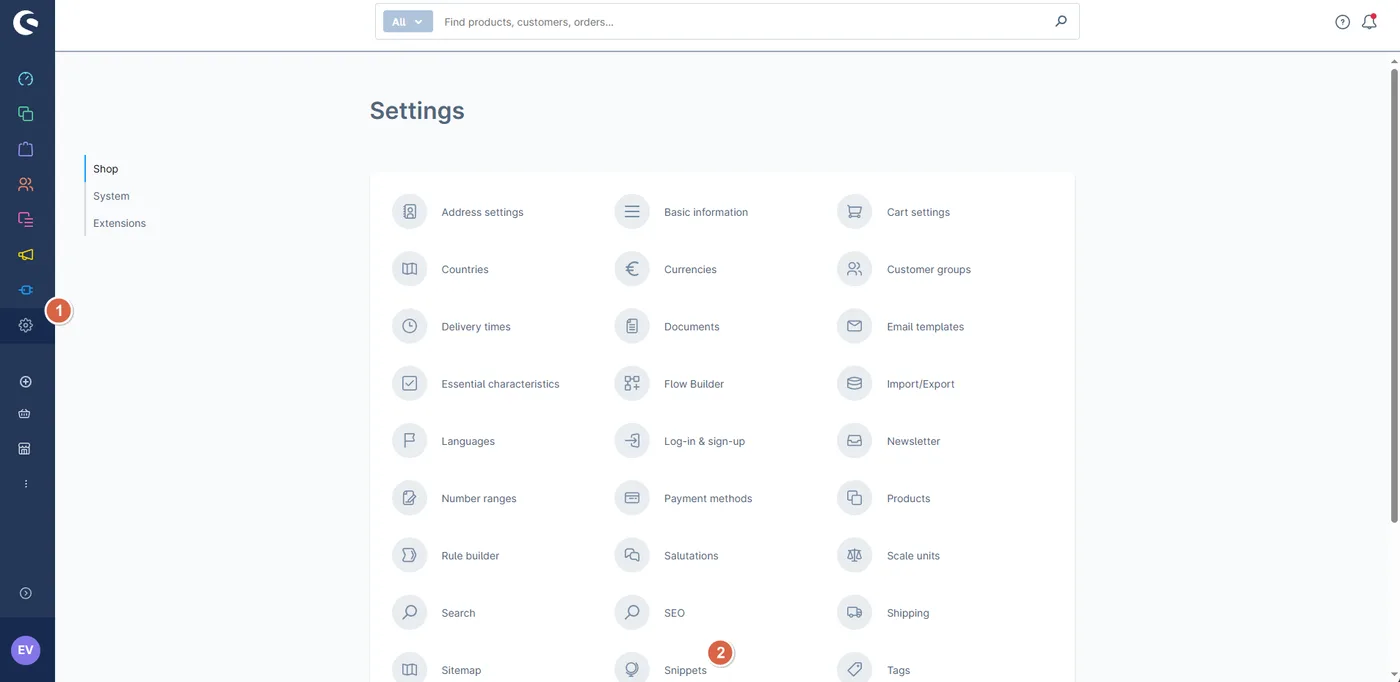
Go to “Settings” > “Snippets”.
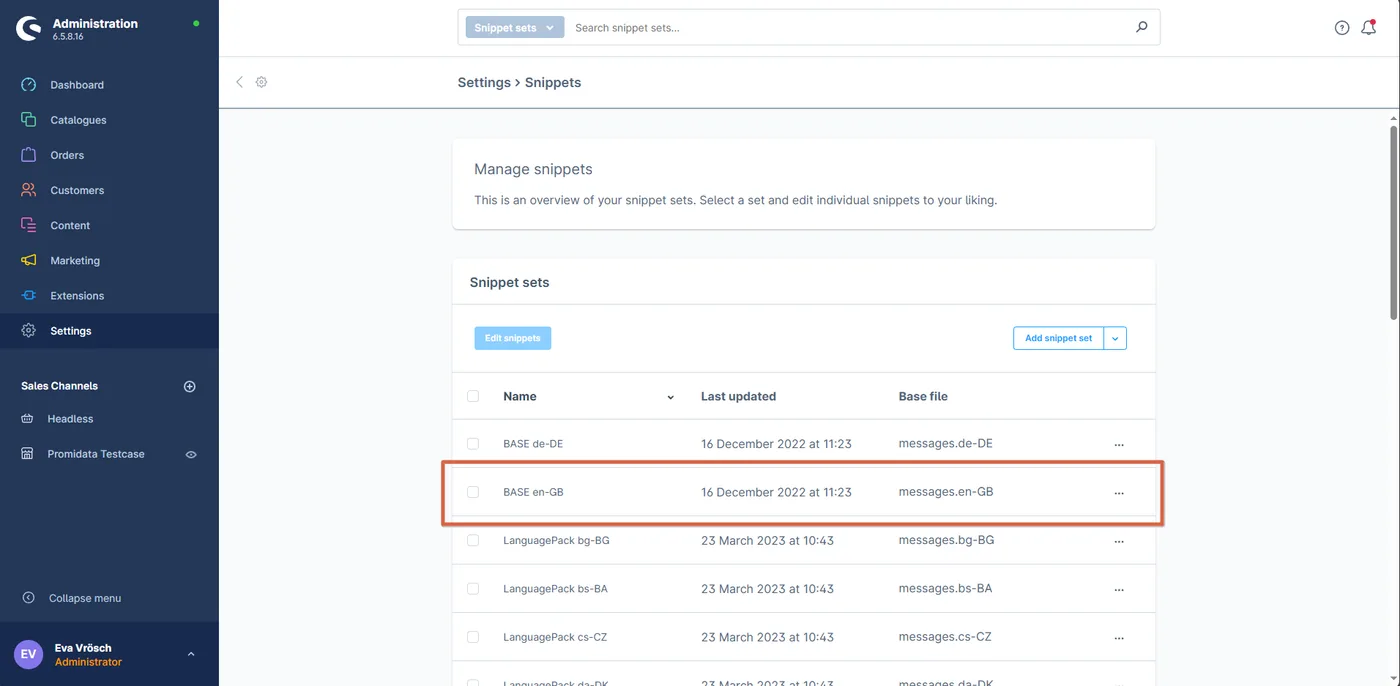
Then select the appropriate language pack. For English, this is “LanguagePack en-GB”.
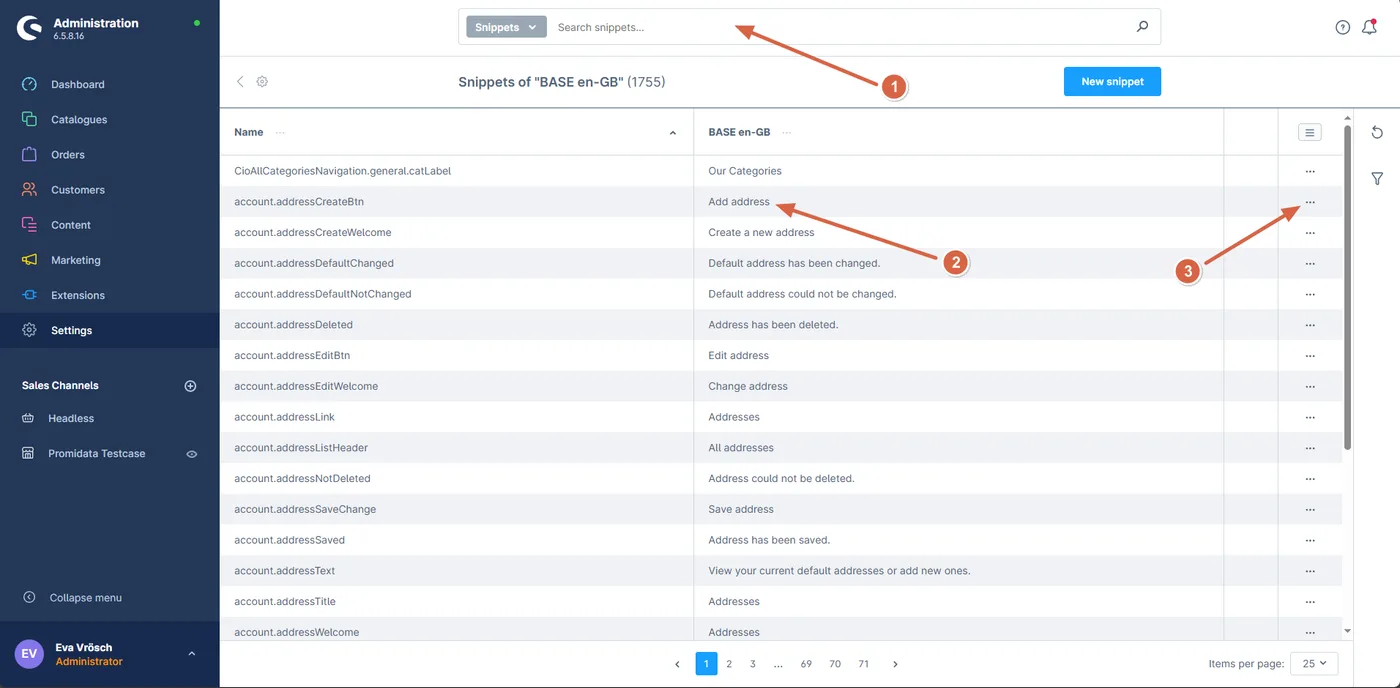
Here, you can easily adjust your text. Use the search bar at the top (1) to find the text you want to edit. Double-click the value to change it directly (2), or click the three dots to edit the text in multiple languages (3).
Once you're done, save the snippet, your changes will now appear on the frontend (if not, please clear the cache).
Last updated: