
Help & Explanation
How do I adjust my shipping costs? (SW6)
Click on “Settings” and then click on “Shipping”.
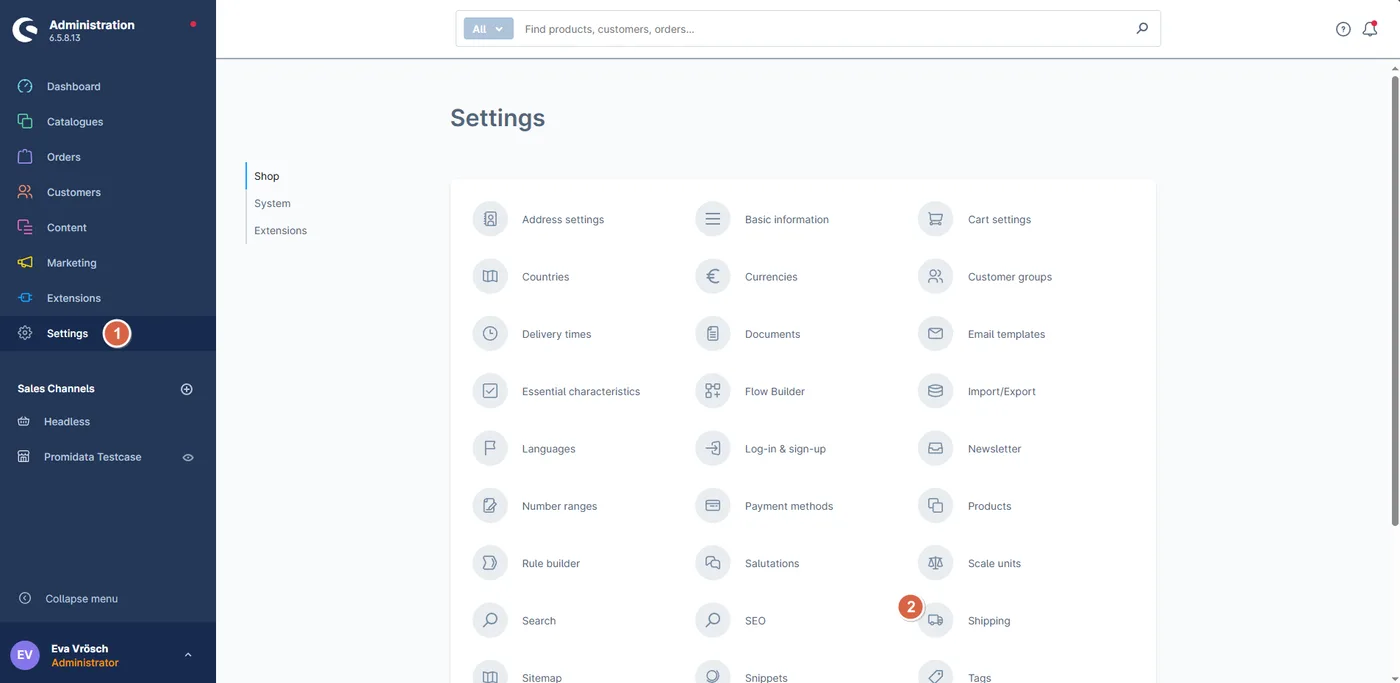
Click on the 3 dots next to the shipping method you want to adjust.

Scroll down to where it says “Add price matrix” and click on it.

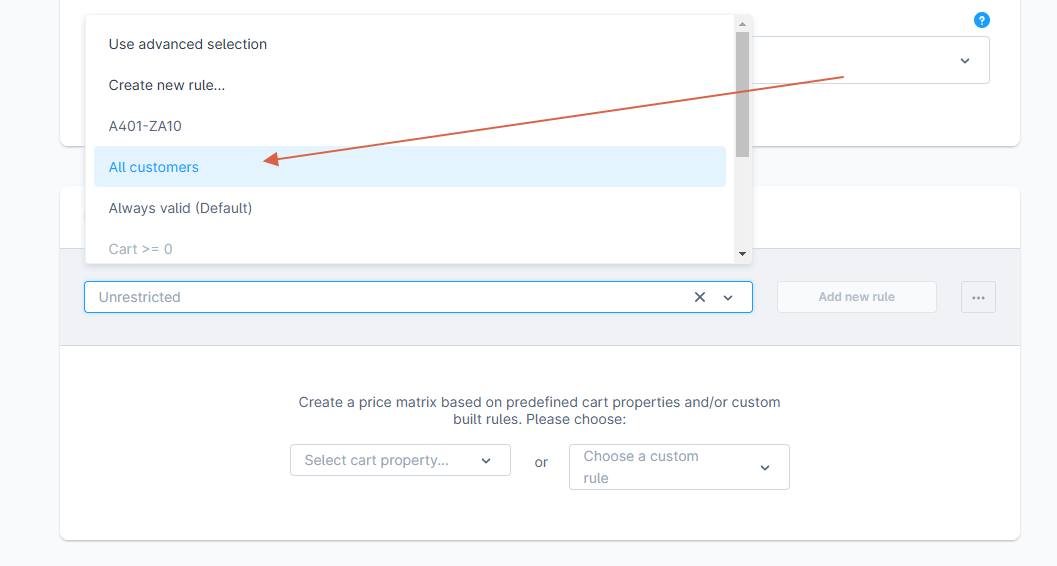
Under “Select a rule or create a new one”, choose “All customers”.
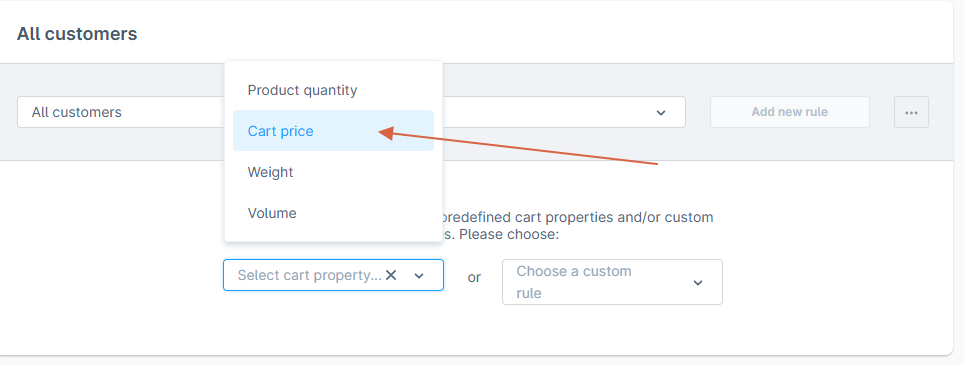
Under “Select cart property”, choose, for example, “Cart value”.
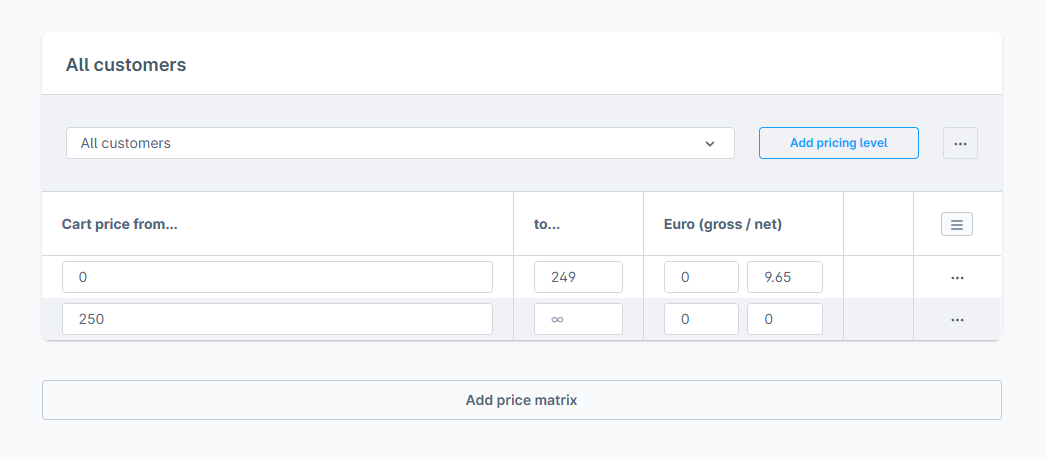
Example: shipping costs €9.65 + free shipping from €250,-
Under “Cart value from…” enter 0, under “To…” enter 249, and under net 9.65. A new rule will be added automatically.
In the next rule, set “Cart value from…” to 250 and leave “To…” as infinite. Leave “Net” blank. The default shipping method that is already present can now be deleted.
Click on “Save” and you’re done!
Last updated: